
Percentage Calculator: Percent Of, Increase, and Change
Use four percent formulas on one page: share of a total, percent of a number, increase or decrease, and change from A to B. We checked the live defaults.
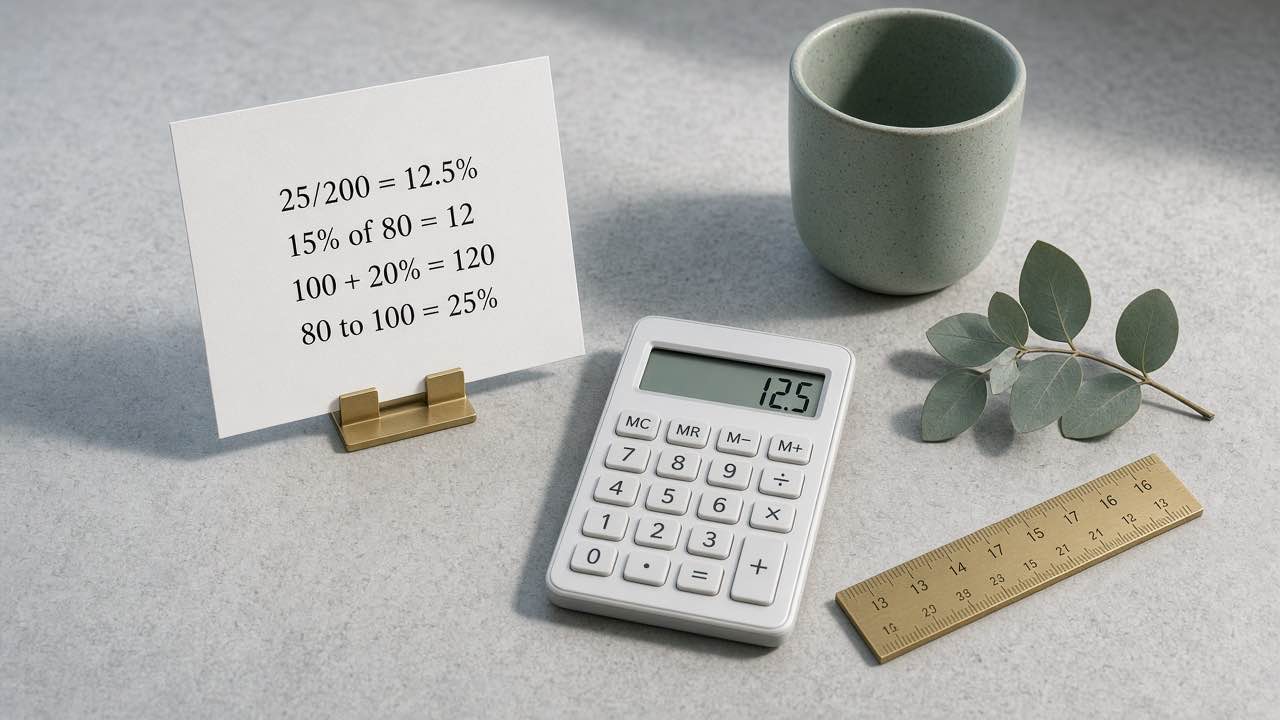
A percentage is a ratio written as parts per hundred. The percentage calculator on Yaya Tools answers four different questions on one page: what share one number is of another, what a rate of a base equals, what a value becomes after a percent increase or decrease, and how much a value changed from A to B. Those are not the same formula. Mixing them is how a 20% markdown and a 20% “of” amount get swapped in a spreadsheet.
In 2026, we ran the page defaults on 21 September and left the sample inputs alone. Card one: 25 of 200 is 12.5 percent. Card two: 15 percent of 80 is 12. Card three: increase 100 by 20 percent and the new value is 120. Card four: from 80 to 100 is a 25 percent change. Those four lines match the page samples.
NIST treats the symbol % as the number 0.01, a dimensionless ratio, not a named unit you attach extra words to. [1] Everyday English still says “percent of” and “percent change.” The page follows that wording and the OpenStax percent-increase rule: divide the change by the original amount, not the new one. [2]
This is arithmetic, not a tax quote, a posted sale price, a grading policy, or investment advice. No affiliate relationships are disclosed because none apply. Checkout order, school weights, and compounding live on other pages.
Four questions, four formulas
- Open the percentage calculator in the browser.
- Pick the card that matches the sentence you would write by hand.
- Type the numbers. Results refresh as you type; there is no Calculate button.
- If a field is invalid, fix it (a zero total, a zero starting value, or a negative change rate).
- Use Reset examples to restore 25, 200, 15, 80, 100, 20, 80, and 100.
| Question | Formula | Default on the page |
|---|---|---|
| What percent is the part of the total? | (part ÷ total) × 100 | 25 of 200 → 12.5% |
| What is a percent of a number? | base × rate ÷ 100 | 15% of 80 → 12 |
| Increase or decrease by a percent | original × (1 ± rate ÷ 100) | 100 + 20% → 120 |
| Percent change from A to B | ((new − old) ÷ old) × 100 | 80 → 100 → 25% |
The first card needs a non-zero total. The fourth card needs a non-zero starting value. Division by zero is undefined, so the script stops instead of printing Infinity. The increase/decrease card also blocks a negative rate; pick decrease when you mean a markdown. Inputs stay in the current browser session. The site privacy policy is the same rule for every tool.
Worked numbers from the live defaults
Share. 25 is 12.5% of 200 because 25 ÷ 200 = 0.125. That is the grade-style question: points earned over points possible.
Percent of. 15% of 80 is 80 × 0.15 = 12. Same structure as a commission line or a single tax amount before anyone adds it back to a bill.
Increase. 100 raised by 20% is 100 × 1.20 = 120. Flip the radio to decrease and the same inputs give 100 × 0.80 = 80. OpenStax writes the increase as new minus original, then that difference as a percent of the original. [2] The third card skips the intermediate difference and returns the new value in one step.
Change rate. From 80 to 100:
((100 − 80) ÷ 80) × 100
That product is 25 percent.
People often divide by 100 here and report 20%. That answers “what share of the new value is the gain,” which is a different sentence. Percent change always uses the old value in the denominator.
A 50% rise followed by a 50% drop does not return to the start. From 100 you go to 150, then half of 150 is 75. Each step has a new base. The page will not add the two percentages for you.
Where this page stops
A percent off label is a decrease. Twenty percent off 100 leaves 80. Twenty percent of 100 is 20. If you need list price, quantity, a percent off, a fixed coupon, and tax in that order, use the discount calculator instead of stacking those steps by hand.
A restaurant bill with tax, tip rate, and a split among people is the tip calculator. This percentage page will give you the raw proportion; it will not guess whether tip is computed on the pre-tax subtotal.
If the relationship is a : b or an unequal split of one total, start with the ratio calculator. A ratio of 2 : 3 is not “2% to 3%.”
Percentage points are not percent change. A rate moving from 8% to 10% is a 2 percentage point rise. Relative to 8%, that is a 25% increase in the rate itself. Card four is for values. Subtract the two percents yourself when both numbers are already percents.
The page does not compound over many periods, does not amortize a loan, and does not apply a syllabus weight. One linear step is the whole job. Published 21 September 2026; revised on the same day after we re-checked the defaults.
Does the calculator send my numbers anywhere?
No. Inputs stay in the current browser session. Close the tab or hit Reset examples if someone else uses the same device.
Why is 25 of 200 equal to 12.5% instead of 8%?
Because 25 ÷ 200 is 0.125, not 0.08. Eight percent would be 16 of 200. The sample is meant to look slightly off a round 10% so a wrong denominator is obvious on the display.
Can I solve for the missing base?
Not as a dedicated control. Card two returns base × rate ÷ 100. If you already know the amount and the rate, rearrange to base = amount ÷ (rate ÷ 100) on paper. The page does not invert that for you.
What to do next
Open the percentage calculator, leave the samples, and confirm 12.5%, 12, 120, and 25% before you trust a hand formula. If the next question is a stacked checkout total, switch pages rather than forcing four cards to mimic a register.