
How to Calculate a Tip on a Taxed Bill
Calculate a tip on the after-tax bill, then split the total evenly. On the page default, $80 at 20% is a $16 tip, a $96 total, and $48 for each of two people.
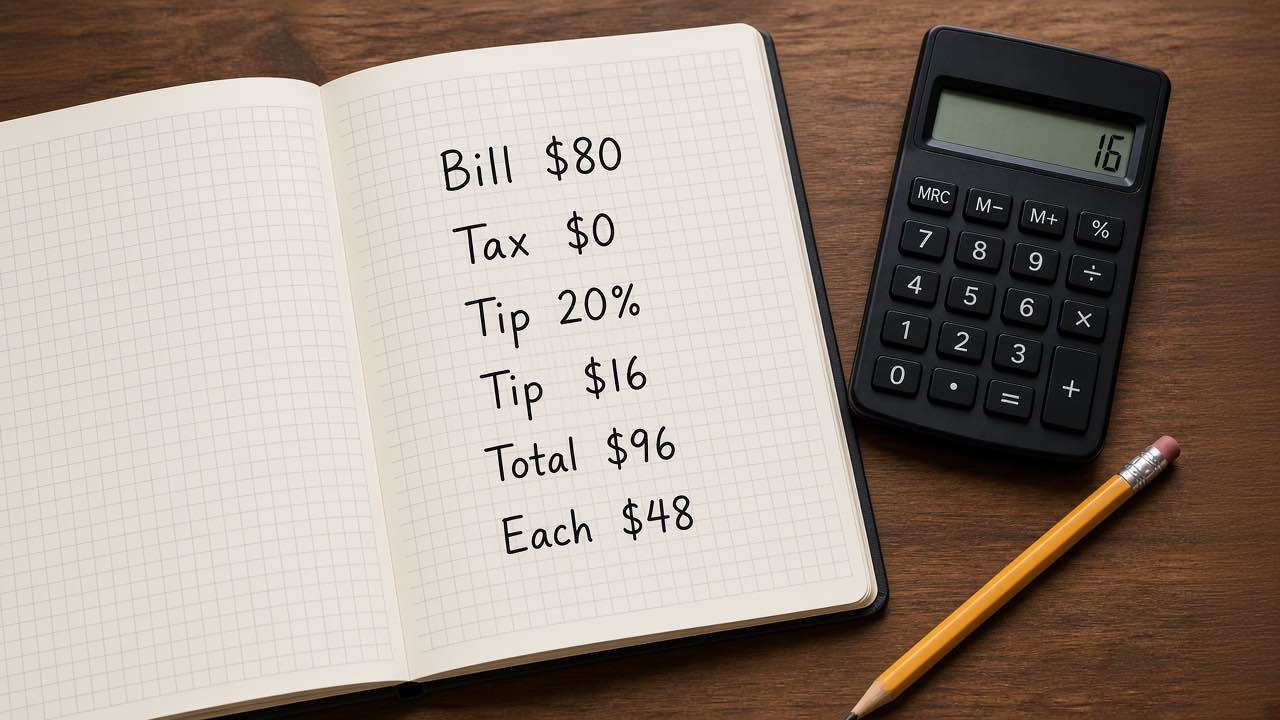
How to calculate a tip on this page is a short product. Multiply the percent you chose by the subtotal plus sales tax, then divide the grand total by the number of people. The tip calculator does that in the browser. It does not look up a city custom, a house policy, or a legal minimum.
OpenStax Prealgebra 2e uses the same percent on an $80 restaurant bill at 20% and gets a $16 tip. [1] NIST treats % as the number 0.01, so that 20% is the factor 0.20. [2]
In 2026, we ran the page defaults on September 28 and left them alone: bill $80, tax rate 0%, tip 20%, two people. The display reads tax $0.00, tip $16.00, total $96.00, $48.00 per person, and $8.00 of tip per person.
Those cents are exact. With tax at zero, 20% of $80 is $16, and $80 plus $16 is $96.
Disclosure: this is check arithmetic, not tax advice, investment advice, or a CPA worksheet. The 20% in the field is a sample. Nobody owes that rate because a form loaded with it.
How to calculate a tip on the taxed total
Four inputs produce the result. The script does not round until it prints currency.
tax = subtotal × tax rate ÷ 100
tip = (subtotal + tax) × tip rate ÷ 100
total = subtotal + tax + tip
share = total ÷ people
tip share = tip ÷ people
Type both rates as percents. A 20 in the tip field means 20 percent, and the script divides by 100 before it multiplies. That is the same “what is this rate of this base?” question on the percentage calculator. The percent-of walkthrough keeps that question separate from percent change. A tip is the first one. A 20% tip is not a 20% increase in some other sense that would divide by a new total.
Sales tax is a second percent, and it hits the subtotal only. The sales tax calculator can add a rate or pull included tax back out of a total. The add-or-remove tax guide shows why those directions are different. This tip page only adds. It will not reverse a tax-inclusive receipt.
Leave the tax rate at 0 and the tip base is the subtotal. That is the OpenStax setup, and it is why the loaded sample matches the textbook $16. [1]
Put 8.25 in the tax field, keep the $80 subtotal, the 20% tip, and two people, and the products move:
tax = 80 × 0.0825 = 6.60
tip = (80 + 6.60) × 0.20 = 17.32
total = 80 + 6.60 + 17.32 = 103.92
each = 103.92 ÷ 2 = 51.96
tip each = 17.32 ÷ 2 = 8.66
The page shows those as $6.60, $17.32, $103.92, $51.96, and $8.66.
That tip is $1.32 above a pre-tax 20% tip of $16 on the same $80.
The page will not compute the pre-tax tip while a tax rate sits in the field. If you want 20% of the food and drink only, clear the tax rate, read the tip, and add the tax on the sales tax page. Mixing the two bases in your head is how a table argues over a dollar that was never ambiguous on the receipt.
How to calculate a tip from the $80 default
The sample that loads with the page:
| Input | Value |
|---|---|
| Subtotal | $80 |
| Sales tax rate | 0% |
| Tip rate | 20% |
| People | 2 |
Walk it in the order the script uses.
- Read the subtotal.
- Multiply by the sales-tax rate. Zero times the subtotal is zero tax.
- Add that tax to the subtotal. The tip base is still the subtotal.
- Multiply the tip base by the tip rate.
- Add subtotal, tax, and tip to get the amount the table pays.
- Divide the total by the number of people, and divide the tip the same way.
The per-person total on the cover is $48, not the tip share. The tip share is $8. Both are on the result panel.
OpenStax also works a $68.50 bill at 18% with no separate tax line and gets a $12.33 tip. [1]
We ran that textbook bill through the same page formula with tax at 0% and one person: tip $12.33, total $80.83. The display matches 68.50 × 0.18.
How to calculate a tip for each person
The split is even. Two people on the default $96 pay $48 each. Three people on that same untaxed total pay $32 each, because 96 divided by 3 is 32 with nothing left over.
The page will not do an uneven split. It will not let one person cover the tip while others split food. It will not round each share up to the next dollar. If the check does not divide cleanly, you still see cents, because the script divides the full total and then formats currency.
IRS Publication 531 draws a line this calculator does not try to police. In that publication’s examples, a tip is an amount the customer is free to set. An 18% charge the customer cannot change, added for a party of six or more, is a service charge. The IRS tells the employee to leave that charge out of the tip diary and treat it as wages. Sample calculations of 15%, 18%, and 20% under a blank tip line do not freeze the payment. The customer may enter any amount or leave the line blank, and an amount they do enter is a tip. [3]
A printed 20% in that example is only a suggestion. The 20% loaded on our form is the same kind of suggestion.
A different 8% shows up later in Publication 531, inside the allocated-tips worksheet for employers. That 8% is a share of food and drink sales used to allocate unreported tips among employees. It is not a rate this page recommends to a diner, and the calculator does not estimate allocated tips, tip-outs, or anything you would enter on a tax return. [3]
What the page will not decide
No city lookup. No test for whether an automatic gratuity is a service charge. No tip pool. No cash-tender rounding. Close the tab and the four inputs are gone. The privacy policy says tool calculations stay on the device.
Questions about the site go to the contact page. If a cent looks wrong, rerun the same four inputs before you blame the receipt. Updated on September 28, 2026, after we re-checked the default.
Is 20% a required tip?
No. It is the number in the field when the page loads. Clear it and type 15, 18, or whatever the table actually agreed. Publication 531’s sample lines of 15%, 18%, and 20% are amounts a customer may ignore. [3]
Does the tip ignore sales tax?
No. The tip base is the subtotal plus the tax the page just computed. A 0% tax rate is the only loaded case that matches the textbook $16 on $80.
Are the bill amounts uploaded?
No. Subtotal, both rates, and the headcount stay in the browser session. Nothing is sent off the machine to produce $16.00 or $96.00.
What to do next
Open the tip calculator, leave $80, 0% tax, 20%, and two people, and confirm $16.00, $96.00, and $48.00 before you edit a field. If the food price was already cut by a percent, do that step on the percentage page first. This one starts from the subtotal you type.